Meta / Contents
Say It Out Loud: A Talking Tutor and the Interface That Disappears
I gave my AI Labs Study Buddy a voice. Talking Tutor quizzes you out loud on your own notes over the Gemini Live API. Building it changed how I think about where voice fits, and why the next wave of AI interfaces might not have a screen at all.
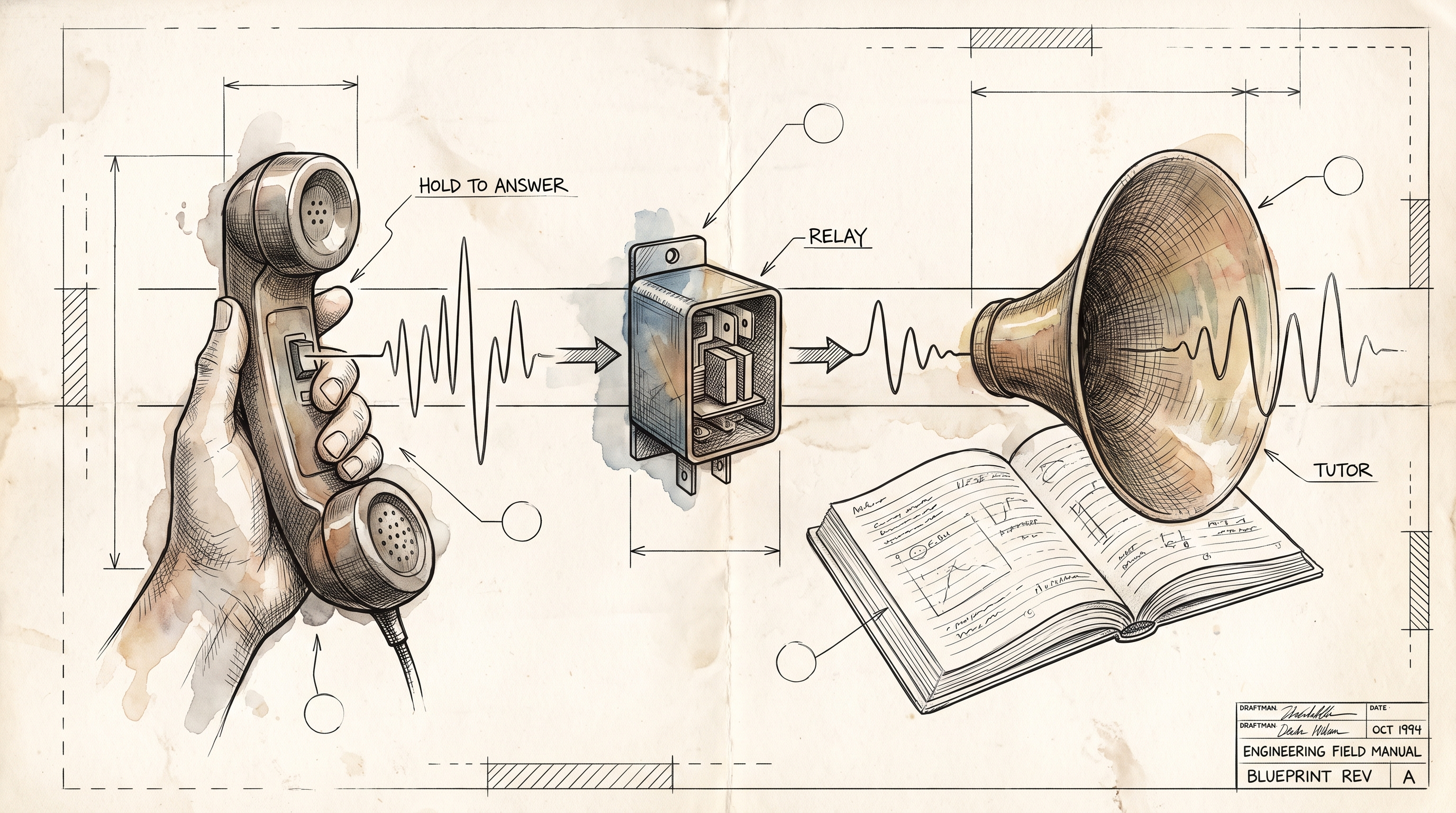
I spent this week teaching my Study Buddy to talk.
Vision-First Study Buddy has been in AI Labs for a while. You photograph your notes, upload a PDF, and it hands back a study guide and a quiz. Useful. Also quiet. You read, you click, you type. The same loop every study app has run since the first flashcard site.
So I added a mode where you hold a button and answer out loud, and a tutor talks back.
It is called Talking Tutor, and it is live if you want to try it. Generate a study guide, press Talk it out, and a voice introduces the quiz and asks question one. You hold the mic, say your answer, let go. The tutor tells you whether you were right, why, and moves on. Five questions, three minutes, scored at the end.
The moment it stopped being a demo
My test material was a North Carolina driver's handbook, because that was the PDF I had handy.
The tutor asked the legal blood alcohol limit. I said "point oh eight." It came back with "You nailed the legal limit for a standard DWI conviction," and then, after a beat, asked about following distance.
That beat is the whole experiment. Reading a study guide is passive. Saying the answer out loud, to something that is listening and will tell you if you are wrong, is retrieval practice. It is the thing tutors do and apps mostly don't. I have known that for years. I had not felt it from a piece of software until this week.
What it is, briefly
The browser never talks to the model directly. It opens one WebSocket to a small FastAPI relay on Cloud Run. The relay opens one Gemini Live API session with a system prompt rendered from your study guide, and forwards audio both ways: 16 kHz microphone audio up, 24 kHz speech down.
The model is given two tools. One records an answer with a verdict and a sentence of feedback. The other ends the quiz with a summary. The relay turns those tool calls into a live scoreboard and writes the score into your quiz history.
Because this is a public demo with no login, the relay is mostly guardrails. A daily cap per device, a global daily cap, a concurrency cap, a three-minute clock, an audio byte quota, an idle timeout. When the clock runs out it locks your microphone but lets the tutor finish its sentence. I have written more about the plumbing on the project page if that is your thing.
What building it taught me
The audio was not the hard part. Timing was.
Voice is unforgiving about silence and equally unforgiving about the lack of it. My first version had the tutor barrel from "that's right" straight into the next question with no room to breathe. I tried to fix that in the prompt. I told the model to give feedback, end its turn, and wait for a cue. It got worse. Then I told it to speak first and call the recording tool after. It got worse again, to the point where one session recorded a single answer out of five and stopped cold after question one, waiting for me to prompt it.
The lesson I keep relearning: put timing in code, not in the prompt. The fix that worked was boring. The tutor does its natural thing in one turn, record, feedback, next question. The relay sends the browser a tiny "pause" message after each recorded answer, and the browser shifts its playback clock by two and a half seconds. The silence is now deterministic. The model never has to know it exists.
And the relay verifies the model's homework. If you finish speaking and the tutor's turn ends without a recorded answer, the relay sends it one reminder. If it tries to end the quiz early, the relay sends it back for the missing answers. The model is a brilliant, slightly forgetful colleague. Design for that.
The part I want to talk about
Voice is not new. Alexa and Google Home have been sitting on kitchen counters for years, setting timers and mishearing song titles. Most of us wrote them off as novelties that never grew up.
I think they were early, not wrong.
What has changed is that the thing on the other end of the microphone can now hold a conversation, keep context, and act. The models are fast enough to answer before the pause feels awkward. That was the missing piece, and it is not missing anymore.
So my hunch is that voice does not stay in the speaker on the counter. It spreads into the surroundings. The car that talks through your route while your eyes stay on the road. The workshop where your hands are covered in something and you ask what torque spec you need. The kitchen. The garage. The classroom, where a kid who would never type a question into a box will absolutely argue with a voice. The screen is the thing that gets in the way in all of those places, and it is the thing that goes away first.
Here is the test I have started applying to my own projects. Find the moment where a person is already talking, or where their hands and eyes are busy, or where the screen is a burden rather than a help. That moment is where voice earns its keep. Everywhere else, keep the screen. A voice interface for something that is easier to click is just a slower click.
Talking Tutor passes the test because studying out loud is a different activity than reading, and a better one. A microphone bolted onto the old app would not have given me that beat after the answer.
Try it, and think about yours
The live demo is free and capped, so it will not run away with my Cloud bill if you all show up at once. Upload a page of notes, generate a guide, and press Talk it out. Notice the beat after the tutor tells you whether you were right. Notice how different it feels to be asked.
Then look at whatever you are building and ask where someone is already talking. I would love to hear what you find.
–Jeremy